Scan only what you choose
Pick any folder with the system folder picker. DiskTiles stays inside that selection and never crosses into other mounted volumes.
Native disk visualizer for macOS
Turn any folder into a clear, proportional treemap. Find the files that matter, inspect the details, and clean up without sending anything off your Mac.
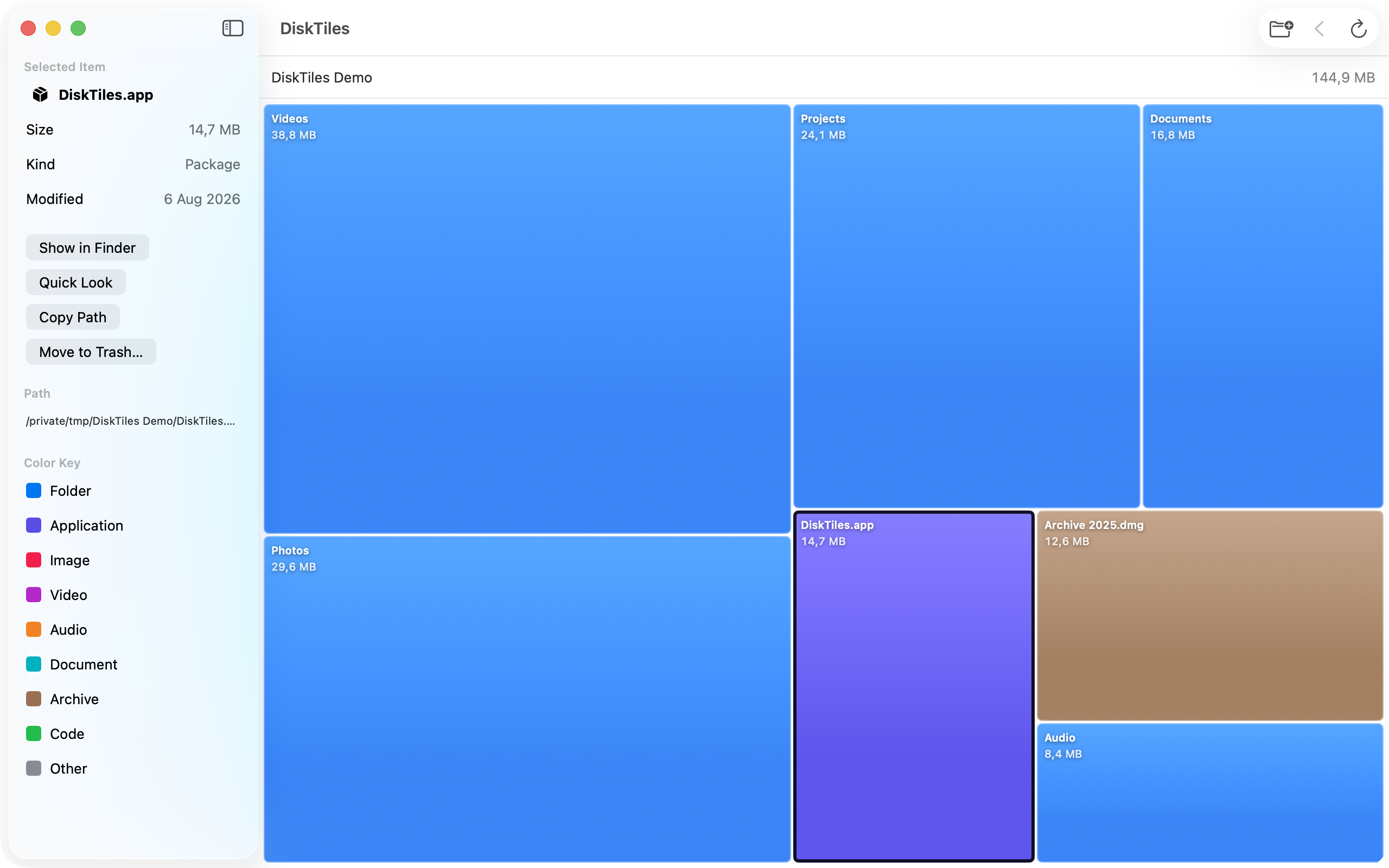
The space on your Mac, made visible
DiskTiles measures the folder you choose and draws every item in proportion to its size. Results appear progressively, so you can start exploring while the scan continues.
Pick any folder with the system folder picker. DiskTiles stays inside that selection and never crosses into other mounted volumes.
Open folders directly in the treemap, follow the breadcrumb trail, and refresh only the folder currently on screen.
Inspect size, kind, date, and path. Use Quick Look, reveal an item in Finder, copy its path, or move it to Trash after confirmation.
A focused Mac utility
Click a tile for details, double-click a folder to open it, and pinch on a trackpad to enlarge smaller tiles. The native interface stays out of the way while you decide what deserves the space.
Private by design
DiskTiles works locally and accesses only folders you explicitly select. There are no accounts, ads, analytics, or tracking, and scanned file information is never transmitted.
Read the privacy policy